
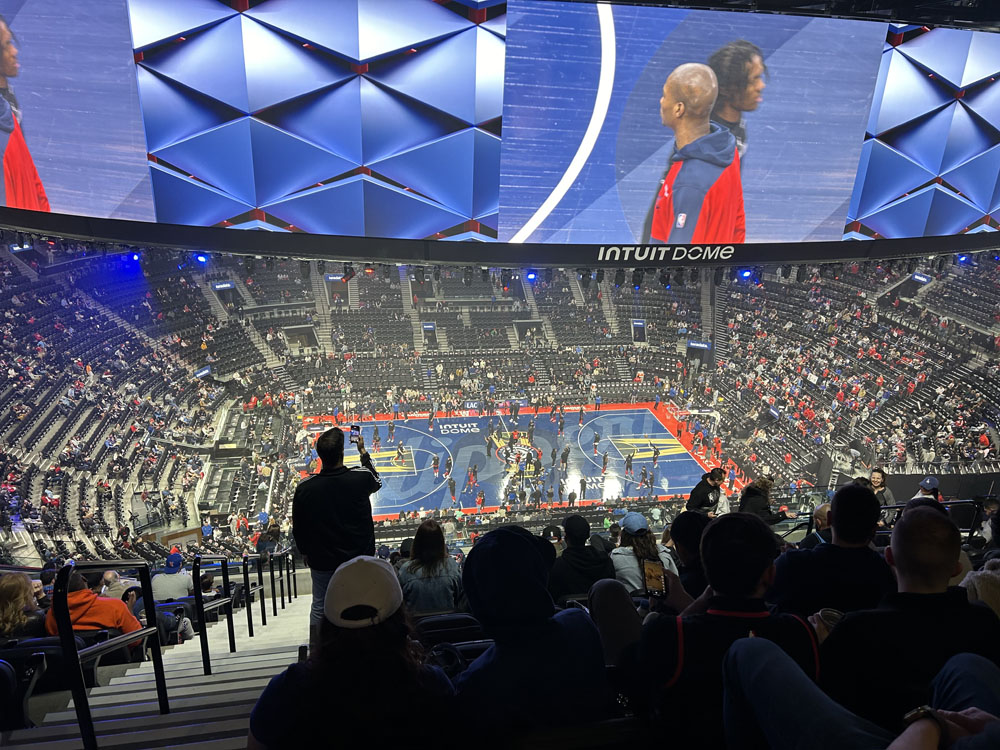
I’m old enough to remember how simple it used to be to attend a sporting event. Pick the game, go to the box office, buy the tickets, return to the stadium on Game Day, pay a nominal parking fee, walk up to the gate, have your ticket torn and head straight to your seat.
Now, here is the process for attending an L.A. Clippers game at the brand new Inuit Dome in Inglewood. Wanting to buy tickets for me and my son, I first had to download the Intuit Dome app on my phone. Then I had to type in all my personal information and take a selfie for “Face ID”. Then because you don’t enter the arena with an actual ticket, my son had to download the same app on his phone (good that he has one, right?) so I could then “assign a ticket” to him. He gets a text for this, accepts the assignment—though not until he enters all of his personal information and takes a Face ID photo.
Then there’s the parking situation. Outside of the arena, there is nothing safe or available on the street, and the cheapest garage ticket I could find was $42. Okay fine, but this is done through Vivid Seats, and a separate app that needed to be on my phone. Apparently I had Vivid on my phone at another time, but seeing it was probably a decade ago, I had forgotten my password. After being unable to change my password because the type windows were “yellowed out”, and calling the useless Vivid Seats “help line” of robots, I finally logged in using Facebook—which gave Vivid Seats all of my Facebook information to do whatever they want with.
Then in a few hours, a fellow with a name I didn’t recognize texted me from Vivid Seats, saying he was assigning my parking pass to me and I needed to accept it.
So ninety minutes later, we had our tickets and parking pass and I vowed to never attend another sporting event at the Intuit Dome.
* * *
Then we went to the game on Tuesday. Getting there was a breeze on the 405, given that it was rush hour. I showed the parking ticket on my phone and zipped right in to a wide, nicely lit space I was even able to back into.
We walked five minutes up ramps, over a bridge and up to the Intuit Dome entrance. Following a sign for “Face ID Entry, we were twenty yards from the door when two chirpy arena workers in red windbreakers and toting pads looked up at us and said “Welcome Jeff and Jake!” It was Minority Report come to life, and I even high-fived the guy.
Up the tallest escalator west of the Rockies, we entered the top seating area, which had a perfect view of the court below due to the extreme vertical design of the place. Directly in front of us was a wraparound video screen and scoreboard that put most Imax screens to shame. Whenever a Clipper scored, his image appeared with a 3-D finger wag. Like most modern stadiums, the music and cheerleader appearances were way too loud, but it was impossible to miss any play on the court—which were instantly replayed on the wraparound.

Then there was the other slice of The Twilight Zone: food ordering. Completely cashless, you walk up to one of the many “Pick and Roll” eateries, step in front of a kiosk, which reads “Hello Jeff” and you enter the gate. Pick out your $7 can of Coke Zero and $7 chip bag and just walk back out because your Intuit app, with your pay method already entered, bizarrely knows what you’ve taken off the shelf.
Getting out of the garage was an additional breeze after the game, and I came away somewhat mixed. Despite the Kafka-esque ordeal setting up my phone for the place, the Intuit Dome was such a weird, futuristic departure from past game experiences it was oddly comforting—like being trapped inside a role-playing video game—and will be far easier next time. Assuming I go.


“… like being trapped inside a role playing viseo game”. Nice, a nice report.
David
LikeLike